Building your Product using Compose
This guide covers the Compose strategy for Step 3 of the Starter Kit. Follow the same five-step sequence for every strategy:
- Start with the agent skills: install and authenticate the CLI, then install the appropriate skills.
- Select the deployment model (2.1), then onboard the required accounts (2.2).
- Reuse your assets and build in development: use the strategy-specific instructions on this page to create one working baseline.
- Test the customer journey and release process: verify application readiness, the promised lifecycle, and repeatable releases.
- Prepare for production and launch: add the customer experience, security, operations, and commercial configuration you need.
Getting Started
Compose is a powerful tool for defining and running multi-container applications and is used widely by many-many open source projects as a goto mechanism to deploy projects locally. With Compose, you can specify all the services, networks, volumes, and their relationships in a single, easy-to-read YAML file.
To start using Compose, you'll need to define a omnistrate-compose.yaml file that describes your application's services and their configurations.
Here is an Compose file to bring up Redis:
Validate your compose config
Before you submit your compose spec, you may want to validate the compose specification by running it locally on your desktop:
Extend your compose specification to build your distribution channel
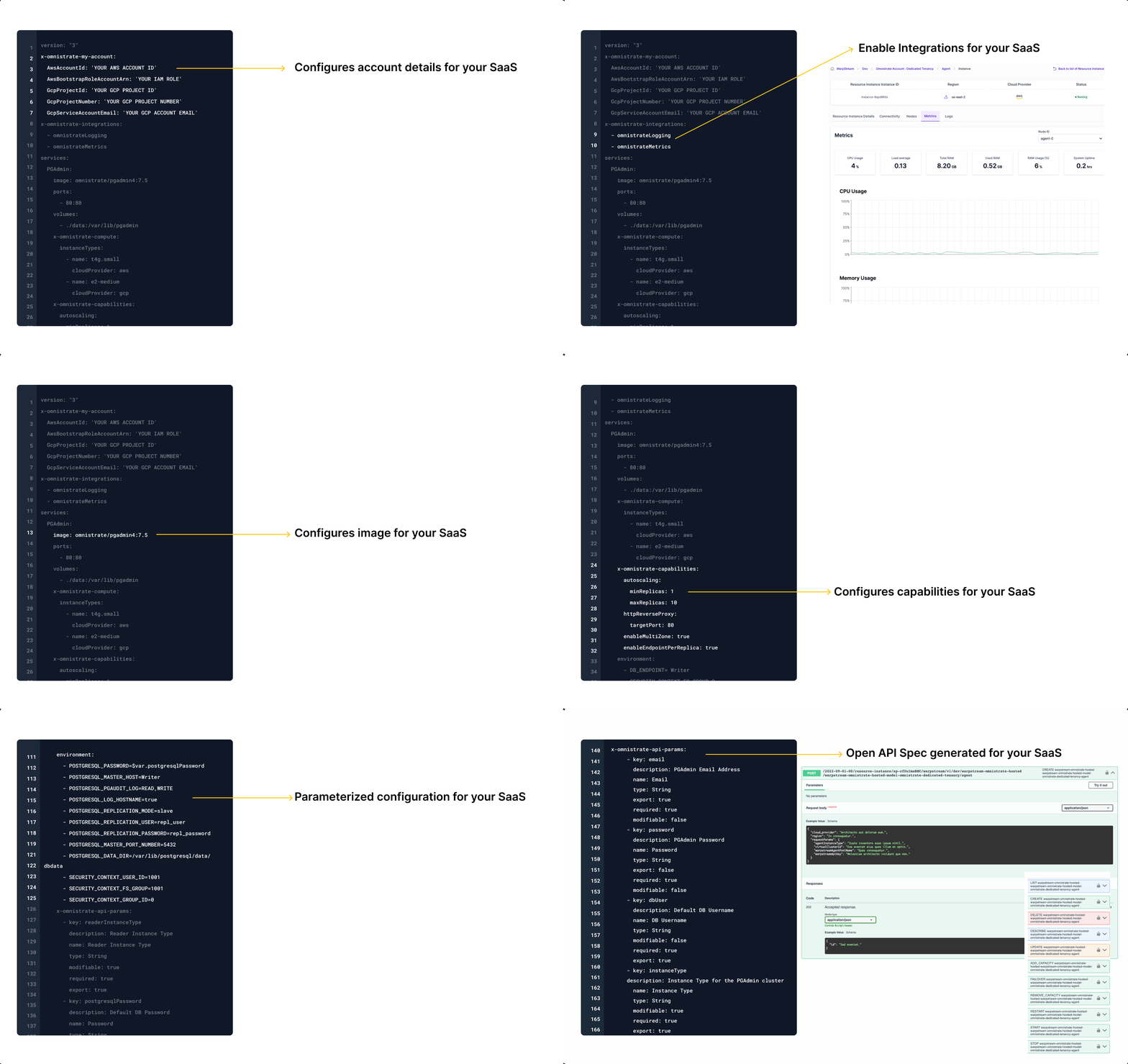
We have defined several compose tags to allow you to extend your compose specification to build your distribution channel, ex - SaaS. Here are some examples:
- Configure your cloud provider account using
x-omnistrate-service-plantag - Make a Resource distributed with multiple replicas using
x-omnistrate-compute - Add a reverse proxy to HTTP-based services or other capabilities using
x-omnistrate-capabilities - Customize visibility, logging, metering of a service using:
x-customer-integrations - Customize API parameters for launching the service using
x-omnistrate-api-params - Inject custom code at different phases of your SaaS using
x-omnistrate-actionhooks - Customize the compute / network / storage parameters of a service via
x-omnistrate-computeand other corresponding tags
For more details on all the compose tags, please read more about Omnistrate Compose Extensions
Use AI to easily extend your compose specification
Extend my compose specification to build my Hosted SaaS service with dedicated tenancy and basic observability
Example compose config
Build your Product using your compose specification
Create a Compose specification file and build your service:
omnistrate-ctl build --file omnistrate-compose.yaml --product-name "Your SaaS Product Name" --description "Your service description"
Select the intended development environment and release a test version as described in Step 3. After building, test the customer journey before production promotion.
PostgreSQL Container Example
If you are starting with a container image rather than an existing Compose file, wrap it in a Compose service definition:
version: '3.9'
services:
  postgres:
    image: postgres:16
    ports:
      - '5432:5432'
    environment:
      - SECURITY_CONTEXT_USER_ID=999
      - SECURITY_CONTEXT_GROUP_ID=999
      - POSTGRES_USER=username
      - POSTGRES_PASSWORD=password
      - PGDATA=/var/lib/postgresql/data/dbdata
    volumes:
      - ./data:/var/lib/postgresql/data
This defines the image, port, static environment, and persistent storage for one resource. Extend it with your plan, account configuration, compute, and capabilities using the sections above.
Warning
The password is illustrative and the image uses a major-version tag. Use supported secrets and pin the image to a tested version or digest. Explicitly configure your intended deployment account; do not rely on an unspecified default account for production.
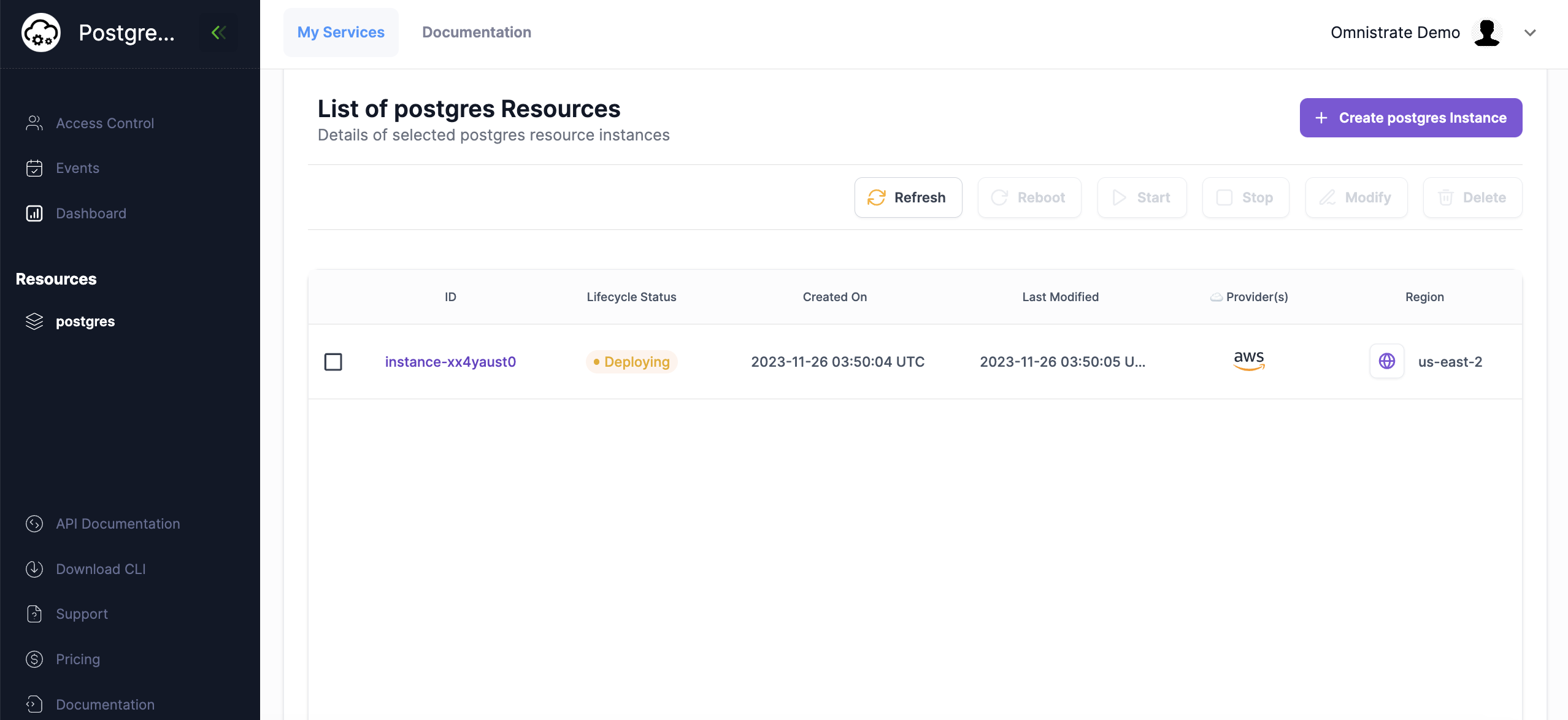
For free and premium plans, plan-version updates, and configuration and secret-file mounts, continue with the Compose Plan Lifecycle Example.
More Real-World Examples
List of examples demonstrating how to build various types of applications using Omnistrate. Each example provides step-by-step guidance, complete configuration files, and best practices for different use cases.
You can access the full examples index here.
Dive Deeper
Now that you have a working Compose-based SaaS Product, explore the build guides to add production-grade capabilities:
- Compose deployment strategy — Browse the Compose-specific strategy and specification reference
- Compose Troubleshooting — Diagnose failed Compose deployments and workflows
- Compose Specification Reference — Complete reference for all Omnistrate-specific Compose extensions (
x-omnistrate-*tags) - API Parameters — Let your customers configure deployments with custom parameters
- System Parameters — Use dynamic system-generated values in your Compose spec
- Deployment Models — Configure hosted, BYOC, or air-gapped deployment models
- Tenancy Types — Choose between shared, dedicated, or hybrid tenancy
- Action Hooks — Run custom logic during provisioning, scaling, or upgrades
- Resource Dependencies — Set up dependencies between resources for multi-component applications
Additional Resources
- Compose Documentation — The official documentation for Docker Compose
- Compose File Reference — Detailed guide to the Compose file format
- Docker Hub — Explore container images for use with your Compose specification
Next: Step 4: Test the customer journey and release process, then Step 5: Prepare for production and launch.