BYOC (Bring Your Own Cloud)
There are many applications that needs to be deployed in customers account due to security and cost reasons. Your customers may prefer to not move the data in your account and want you to deploy your app(s) in their account.
From your perspective, you will have to manage hundreds or thousands of these accounts. This is how the setup may look like:
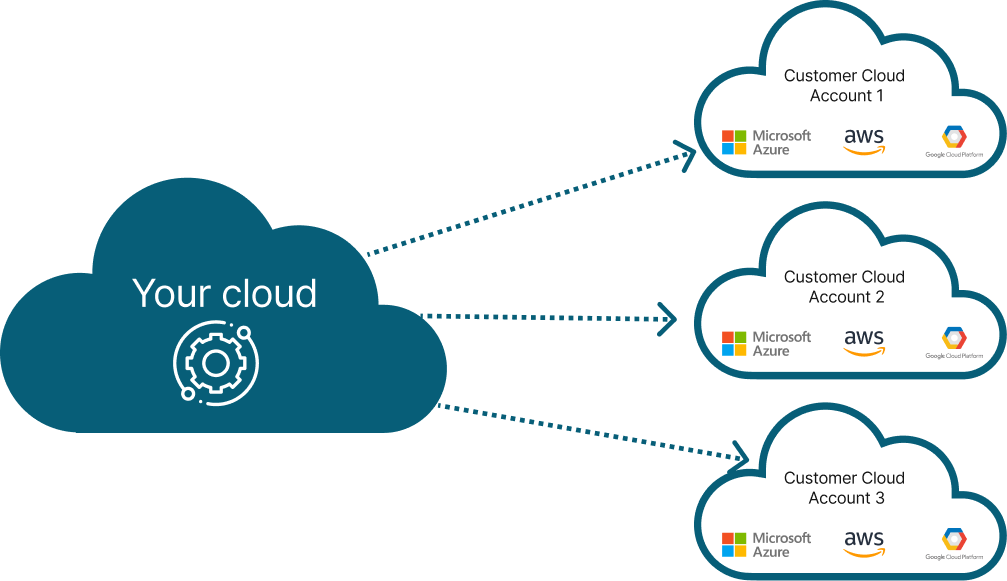
The challenge is that deploying in your customers account requires manual coordination, sharing of credentials and a lot of operational pain. We have automated the entire process and made it simple to operate in a secure way.
Note
There are several variants of BYOC mode in the industry and they are all somewhat related.
- Bring Your Own VPC - in this mode, your customer brings a specific VPC for you to deploy and manage your application. See here for more details
- Bring Your Own Cloud (BYOC) - in this mode, your customers bring their account so that you can deploy and manage your application. See here for more details
We support different variants of BYOC for you to NOT worry about the complexity of the underlying infrastructure
How to enable BYOC
Compose Spec Configuration
If you are using compose-based specification, you can add the following to your compose to configure your provider account:
x-omnistrate-service-plan:
  deployment:
    byoaDeployment:
      awsAccountId: "<AWS_ACCOUNT_ID>"
      awsBootstrapRoleAccountArn: arn:aws:iam::<AWS_ACCOUNT_ID>:role/omnistrate-bootstrap-role
Note
Please don't forget to replace
Videos
- To configure your customer's account using Cloud Formation, you need to follow this video guide
BYOC architecture
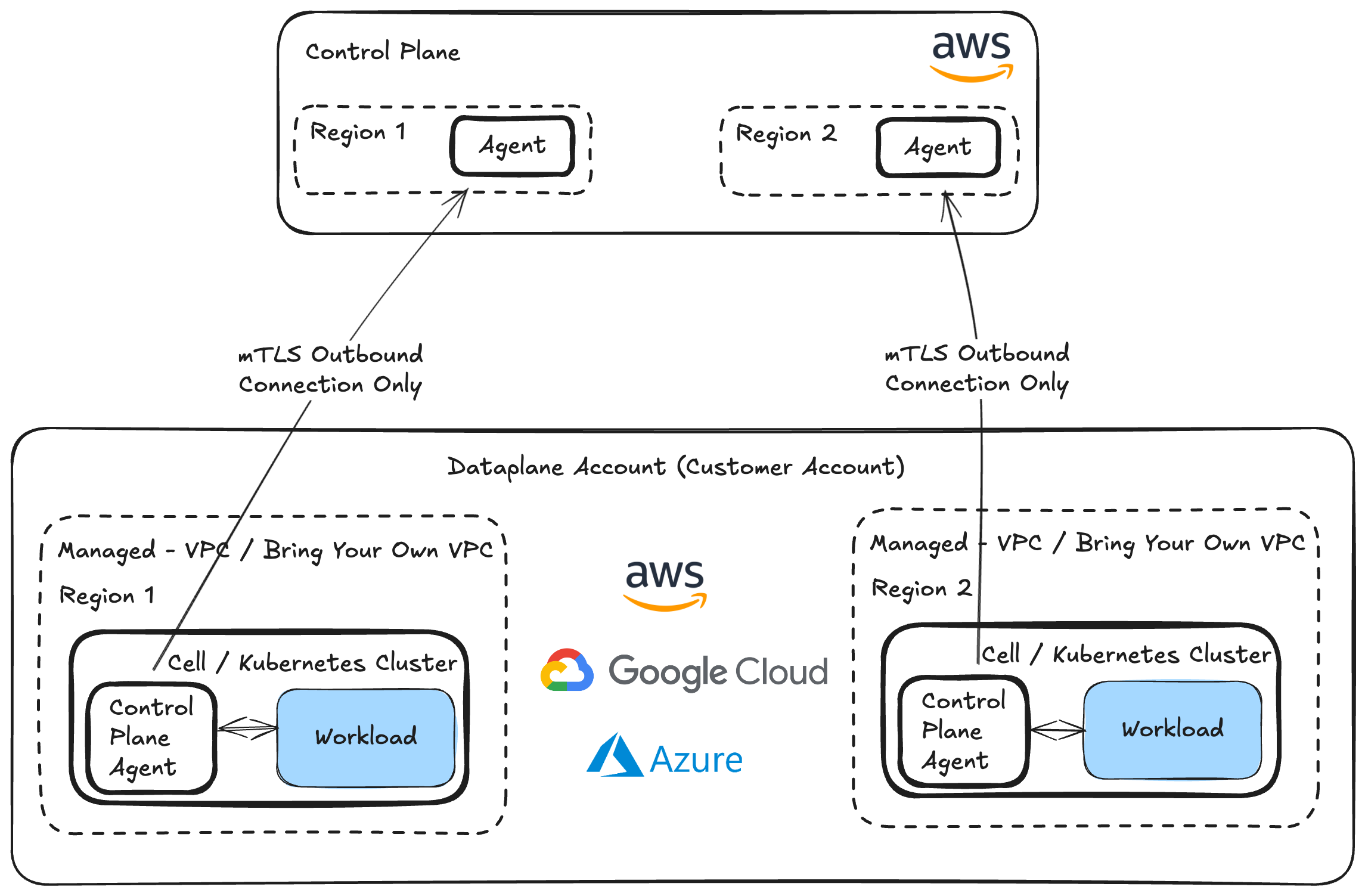
We build a trust relationship between your account and your customers account to allow you to automate the setup. Once setup, system uses the industry standard secure techniques to reverse the connection to prevent any inbound connections to your customers' account (except while configuring their account during setup), encrypted channel through TLS and oauth tokens to secure the connectivity between your customers account and your account.
If your customers wants to also disable any outbound data, they can also achieve that by updating the IAM permission set. Please reach out to support@omnistrate.com for details on how to achieve this.
BYOC in action
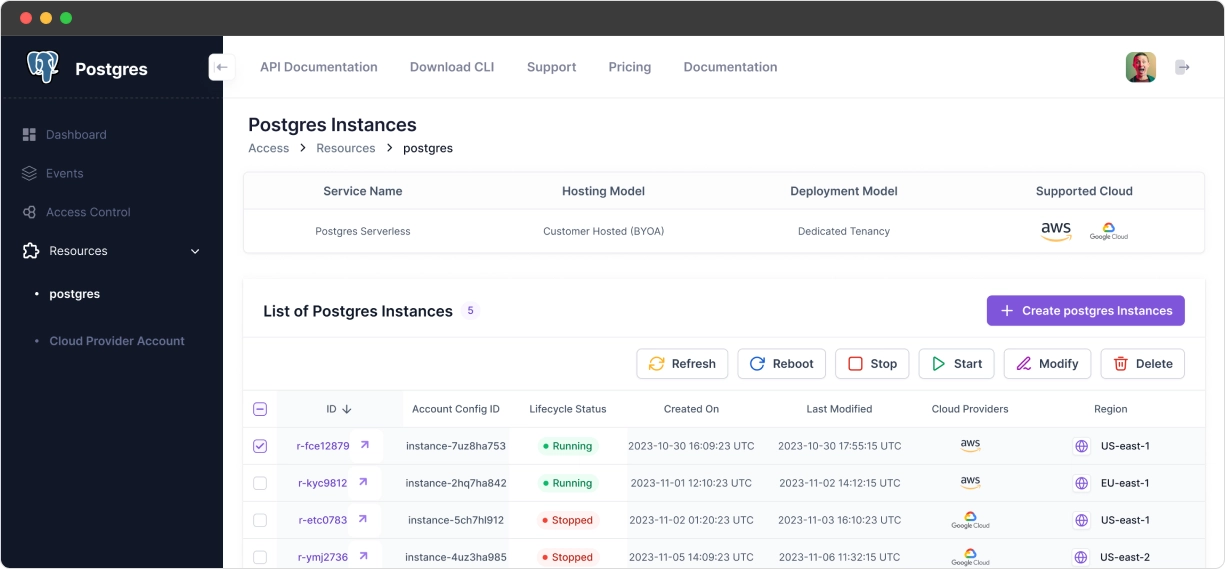
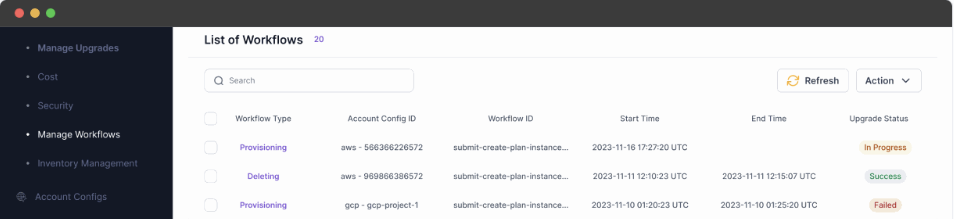
Omnistrate makes it easy to manage resource instances across the fleet
View for your customers
Internal view for your teams
Demo video
Here is a demo video on PostgreSQL BYOC DBaaS: 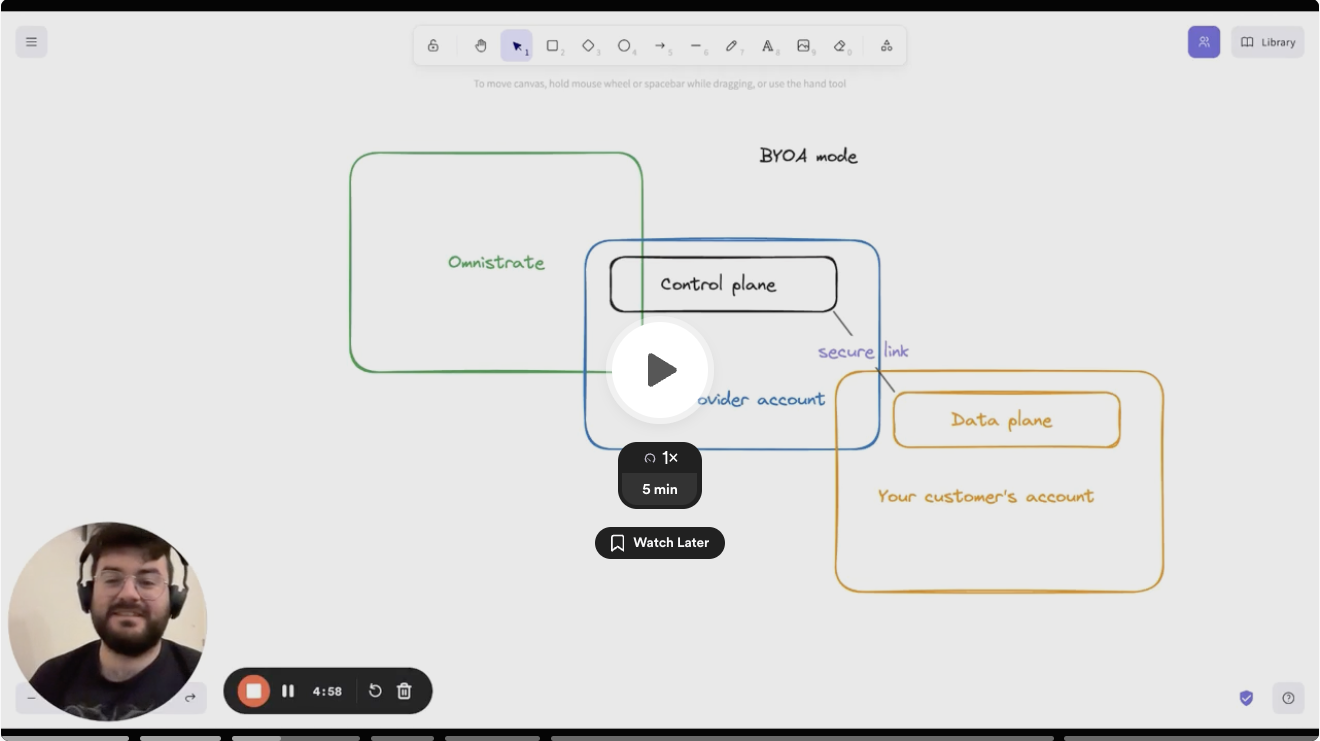
Bring Your Own VPC (BYO-VPC)
If you are running in BYOC mode, your customers can bring their own VPC and Omnistrate will deploy your Dataplane in their VPC.
Prerequisites
Your customer must create the VPC and subnets before deploying. The requirements differ depending on whether PrivateLink is enabled.
Standard (PrivateLink disabled)
| # | Requirement | Details |
|---|---|---|
| 1 | DNS settings | Enable DNS hostnames and DNS resolution on the VPC. AWS docs |
| 2 | NAT Gateway | A public NAT gateway is required for pulling container images. All private subnet route tables must have a route to this NAT gateway. AWS docs |
| 3 | Public subnet auto-assign IP | Public subnets must have auto-assign public IPv4 address enabled. AWS docs |
| 4 | Subnet tags | Private subnets: tag kubernetes.io/role/internal-elb = 1. Public subnets: tag kubernetes.io/role/elb = 1. AWS docs |
PrivateLink enabled
| # | Requirement | Details |
|---|---|---|
| 1 | VPC & subnet tags | Tag the VPC and workload subnets with omnistrate.com/managed-by = omnistrate. This tag gates IAM permissions and selects subnets for EKS nodegroup placement — tag only the subnets you want workloads in. |
| 2 | DNS settings | Enable DNS hostnames (enableDnsHostnames) and DNS resolution (enableDnsSupport) on the VPC. |
| 3 | Egress | Workload subnets need outbound internet via NAT Gateway, Transit Gateway, or VPN. Required for Helm binary downloads and container image pulls during dataplane bootstrap. |
| 4 | Management VPC Endpoint | Create a single Interface VPC Endpoint targeting the PrivateLink service name Omnistrate provides after account onboarding, with: |
• Tag Name = omnistrate-byoc-private-vpce-<provisioner-hc-id> | ||
| • Security group allowing inbound TCP 8443–8506 from the VPC CIDR | ||
• Tag every security group attached to the VPCE with omnistrate.com/managed-by = omnistrate. Omnistrate uses this tag as the IAM permission gate when adding or removing Kubernetes debug access ingress rules. | ||
| 5 | Cross-region (if applicable) | If the customer's VPC and the PrivateLink service are in different AWS regions, pass --service-region <region> when creating the VPC Endpoint (or service_region in Terraform). Do not enable private DNS — AWS does not support it for cross-region interface endpoints. |
| 6 | Subnet tags (optional) | Private subnets: tag kubernetes.io/role/internal-elb = 1. Public subnets: tag kubernetes.io/role/elb = 1. Not mandatory for PrivateLink deployments, but recommended if you plan to use internal load balancers. |
Note
Omnistrate provides the VPCE service name and the provisioner host-cluster ID after the account is onboarded — both are needed to create the management VPC Endpoint.
For full details on the PrivateLink VPC topology options, see Imported VPC requirements for BYOC PrivateLink.
How to get started
When creating an instance, your customer can specify VPC id as value of cloud_provider_native_network_id input parameter, and rest of things will be same as regular BYOC experience.